
Collage Creator2.0.2 - Google Play
You'll be able to see results in few seconds.
Publisher Description
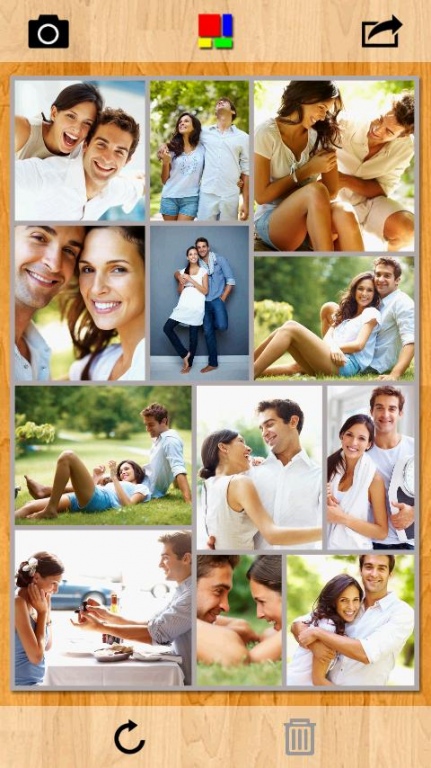
Create stunning picture collages on your Android device. Setup a collage with a prominent center picture, arrange pictures in a regular grid, or create a random picture pile. Tie fond memories together into gorgeous picture mosaics. With an intuitive interface, Collage Creator gives you complete control over your collage design.
Simply start by adding a few pictures to your collage. Choose a collage style from five exciting variants. Select from a range of aspect ratios. Select Landscape or Portrait orientation. Exchange pictures by dragging one picture on another. Add text to your collage. Shuffle the collage to get another exciting layout. Collage Creator even lets you pan and zoom individual pictures within their frames so that they are positioned just as you wish.
COLLAGE STYLES
• Picture Pile
• Picture Grid
• Mosaic
• Center Frame
• Zig Mosaic
FEATURES
• Add text to collage
• Drag a picture on another picture to exchange them
• Shuffle collage to get a completely new layout
• Pan and zoom pictures within their frames
• Drag, scale, or rotate pile pictures
• Change pile order to bring more prominent pictures on top
• Create Landscape or Portrait collages
• Customize text color
• Resize, rotate, or move text
• Use Instant Camera or Postage Stamp border styles in Pile collage
• Upload collage directly to Facebook
• Save collage design to edit later
• Works in both Landscape and Portrait orientations
FEEDBACK & SUGGESTIONS
We love to hear from our users. You might have a suggestion for a feature or you might like to report an issue you faced. Please email us at info@silkenmermaid.com
About Collage Creator
The company that develops Collage Creator is SilkenMermaid Technologies Private Limited. The latest version released by its developer is 2.0.2.
To install Collage Creator on your Android device, just click the green Continue To App button above to start the installation process. The app is listed on our website since 2012-11-22 and was downloaded 0 times. We have already checked if the download link is safe, however for your own protection we recommend that you scan the downloaded app with your antivirus. Your antivirus may detect the Collage Creator as malware as malware if the download link to com.silkenmermaid.collagecreator is broken.
How to install Collage Creator on your Android device:
- Click on the Continue To App button on our website. This will redirect you to Google Play.
- Once the Collage Creator is shown in the Google Play listing of your Android device, you can start its download and installation. Tap on the Install button located below the search bar and to the right of the app icon.
- A pop-up window with the permissions required by Collage Creator will be shown. Click on Accept to continue the process.
- Collage Creator will be downloaded onto your device, displaying a progress. Once the download completes, the installation will start and you'll get a notification after the installation is finished.
Program Details
System requirements
Download information
Pricing
Version History
version 2.0.2
posted on 2012-11-22
- Improved user interface,- Add text to collage,- More options to fine tune your collage
version 2.0.2
posted on 2012-11-22
Several fixes and updates
Disclaimer
Official Google Play Link
We do not host Collage Creator on our servers. We did not scan it for viruses, adware, spyware or other type of malware. This app is hosted by Google and passed their terms and conditions to be listed there. We recommend caution when installing it.
The Google Play link for Collage Creator is provided to you by apps112.com without any warranties, representations or guarantees of any kind, so access it at your own risk.
If you have questions regarding this particular app contact the publisher directly. For questions about the functionalities of apps112.com contact us.
